Luckfox_LDD
Linux device driver on Luckfox pico ultra.
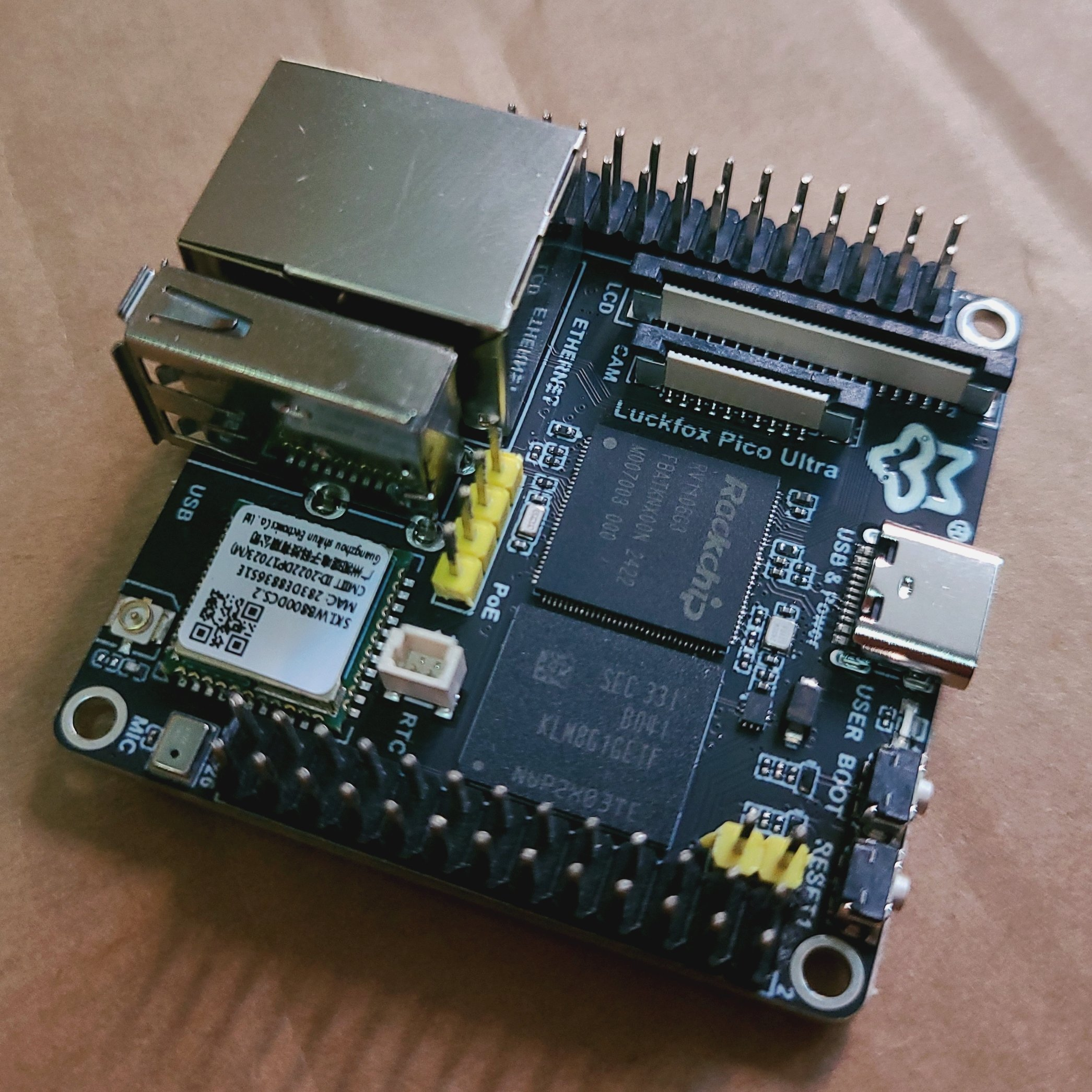
Prepare SDK for SoC
Current OS im using is Ubuntu 22.04
- Install dependencies
sudo apt update sudo apt-get install -y git ssh make gcc gcc-multilib g++-multilib module-assistant expect g++ gawk texinfo libssl-dev bison flex fakeroot cmake unzip gperf autoconf device-tree-compiler libncurses5-dev pkg-config bc python-is-python3 passwd openssl openssh-server openssh-client vim file cpio rsync - Obtain the latest SDK
git clone https://github.com/LuckfoxTECH/luckfox-pico.git - Compile SDK My board is Luckfox Pico Ultra W
giahuy@GiaHuy:~/workspace/Embedded_Linux/Luckfox/luckfox-pico$ ./build.sh lunch ls: cannot access 'BoardConfig*.mk': No such file or directory You're building on Linux Lunch menu...pick the Luckfox Pico hardware version: 选择 Luckfox Pico 硬件版本: [0] RV1103_Luckfox_Pico [1] RV1103_Luckfox_Pico_Mini_A [2] RV1103_Luckfox_Pico_Mini_B [3] RV1103_Luckfox_Pico_Plus [4] RV1103_Luckfox_Pico_WebBee [5] RV1106_Luckfox_Pico_Pro [6] RV1106_Luckfox_Pico_Max [7] RV1106_Luckfox_Pico_Ultra [8] RV1106_Luckfox_Pico_Ultra_W [9] custom Which would you like? [0~9][default:0]: 8 Lunch menu...pick the boot medium: 选择启动媒介: [0] EMMC Which would you like? [0][default:0]: 0 Lunch menu...pick the system version: 选择系统版本: [0] Buildroot(Support Rockchip official features) [1] Ubuntu(Support for the apt package management tool) Which would you like? [0~1][default:0]: 0 [build.sh:info] Lunching for Default BoardConfig_IPC/BoardConfig-EMMC-Buildroot-RV1106_Luckfox_Pico_Ultra_W-IPC.mk boards... [build.sh:info] switching to board: /home/giahuy/workspace/Embedded_Linux/Luckfox/luckfox-pico/project/cfg/BoardConfig_IPC/BoardConfig-EMMC-Buildroot-RV1106_Luckfox_Pico_Ultra_W-IPC.mk [build.sh:info] Running build_select_board succeeded. - Now the Linux kernel source or headers is ready!
Prepare toolchain for SoC
The SDK already include toolchain in folder
luckfox-pico/tools/linux/toolchain/arm-rockchip830-linux-uclibcgnueabihf. However we can download from site. -
Download toolchain package
Version Buildroot: Download link -
Unzip toolchain package
   #-C ~/ specifies the unzip path
   tar zxvf arm-rockchip830-linux-uclibcgnueabihf.tar.gz -C ~/tools/
Include path to kernel header folder to make vscode warning silent.
in file c_cpp_properties.json i added my path "/home/giahuy/workspace/Embedded_Linux/Luckfox/luckfox-pico/sysdrv/source/kernel/include". So it looks like this:
"includePath": [
      "${workspaceFolder}/**",
      "/home/giahuy/workspace/Embedded_Linux/Luckfox/luckfox-pico/sysdrv/source/kernel/include"
]
References
- https://lwn.net/Kernel/LDD3/
- https://sysplay.github.io/books/LinuxDrivers/book/index.html
- https://embetronicx.com/linux-device-driver-tutorials/
- https://wiki.luckfox.com/luckfox-pico/luckfox-pico-quick-start/
- https://www.blackbox.ai/ (so cool 😎)